Obstacle sensors
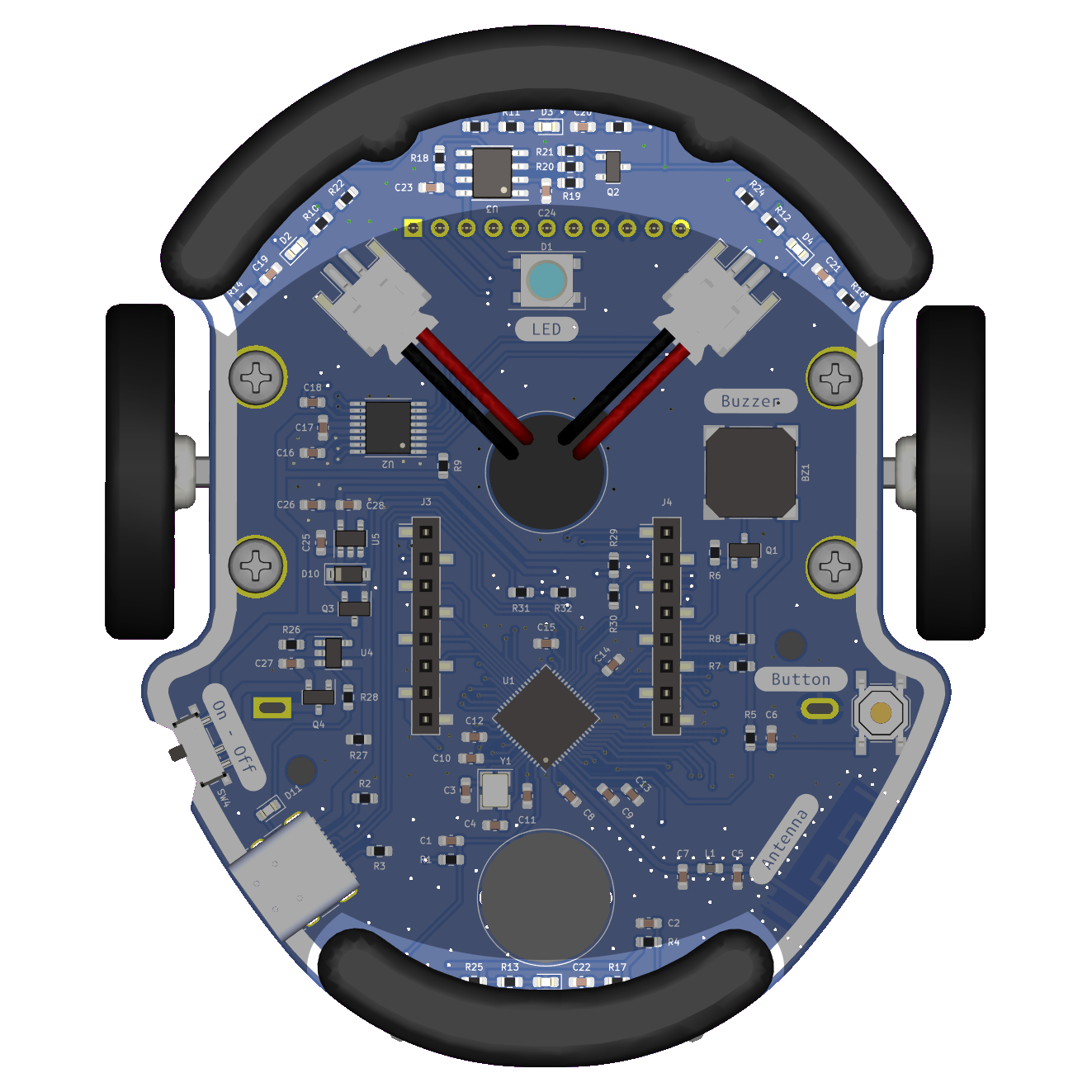
Les capteurs d'obstacles d'Eliobot sont des capteurs infrarouges qui permettent de détecter les obstacles à une certaine distance.
Use with Elioblocs
To use Eliobot obstacle sensors on Elioblocs, we use blocks from the  category.
Using with Python
With python, you must define each obstacle sensor as an object.
We have 4 sensors on the obstacle sensor, they are connected to the following pins:
| Capteur gauche | Capteur devant | Capteur droit | Capteur derrière | |
|---|---|---|---|---|
| Pin | IO4 | IO5 | IO6 | IO7 |
The sensors return analog values.
Related examples
Elioblocs example
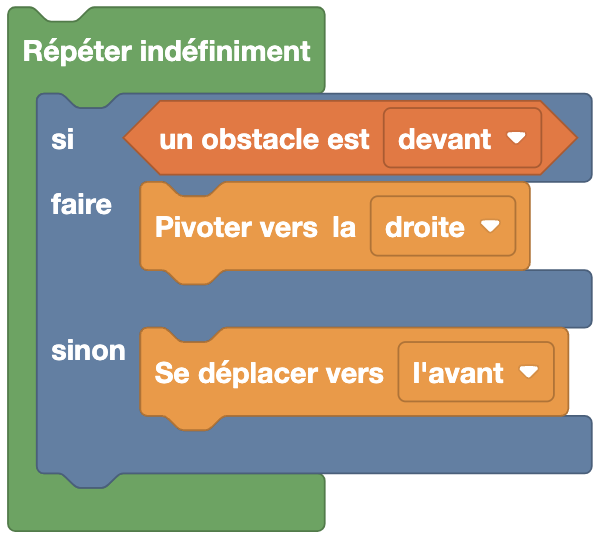
Here, if an obstacle is detected in front of Eliobot, it turns to the right, otherwise it moves forward.
Python Example
With the library elio.py
import board
import pwmio
import analogio
from elio import Motors, ObstacleSensor

AIN1 = pwmio.PWMOut(board.IO36)
AIN2 = pwmio.PWMOut(board.IO38)
BIN1 = pwmio.PWMOut(board.IO35)
BIN2 = pwmio.PWMOut(board.IO37)
vBatt_pin = analogio.AnalogIn(board.BATTERY)

obstacle_pins = [
    analogio.AnalogIn(board.IO4),  # Gauche
    analogio.AnalogIn(board.IO5),  # Avant
    analogio.AnalogIn(board.IO6),  # Droite
    analogio.AnalogIn(board.IO7),  # Arrière
]

motors = Motors(AIN1, AIN2, BIN1, BIN2, vBatt_pin)
obstacle_sensor = ObstacleSensor(obstacle_pins)

speed = 100

while True:
    if obstacle_sensor.get_obstacle(1):  # Obstacle devant
        motors.turn_right(speed)
    else:
        motors.move_forward(speed)
In this example, Eliobot moves forward if he does not detect an obstacle in front of him, otherwise he turns right.
Without the library elio.py
import board
import analogio

obstacle_avant = analogio.AnalogIn(board.IO5)  # Capteur avant

while True:
    valeur = obstacle_avant.value
    if valeur < 10000:  # Obstacle détecté
        print("Obstacle détecté, valeur :", valeur)
    else:
        print("Aucun obstacle, valeur :", valeur)
Detection is triggered when the sensor value falls below 10000. This value can be adjusted according to the desired detection distance.