Engines
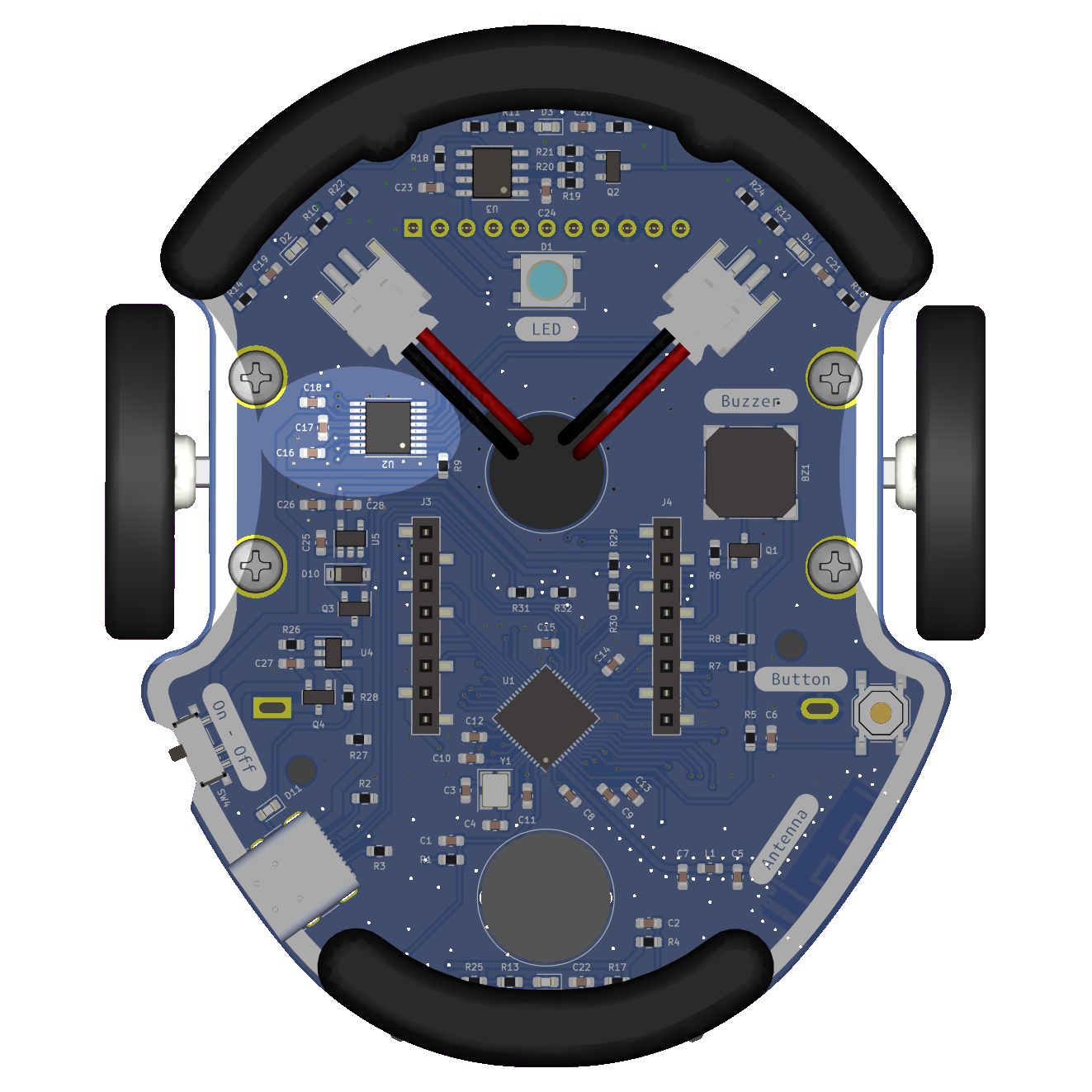

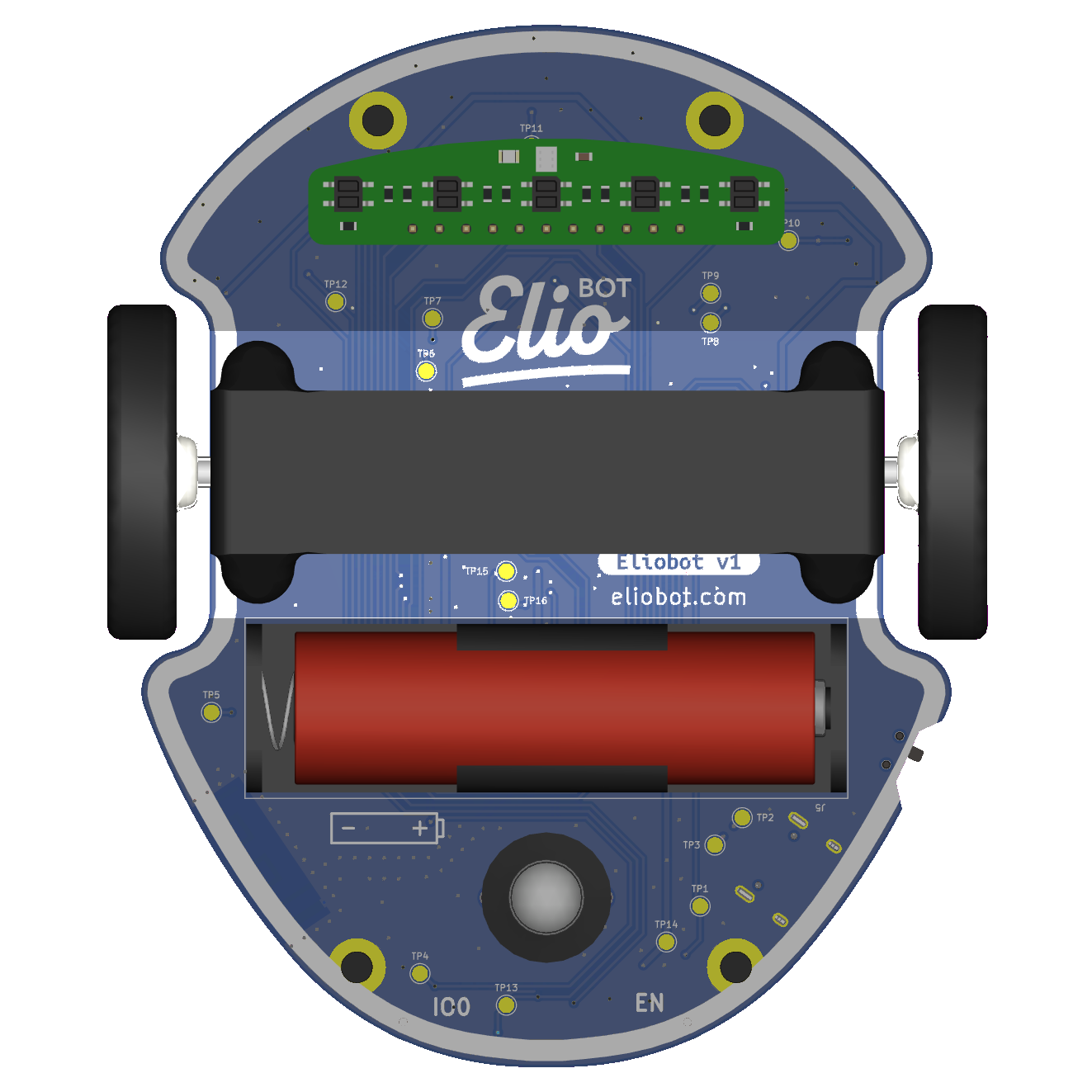
Eliobot's motors are powered directly by the battery, so they only work when the ignition button is in the ON position.
Use with Elioblocs
To use Eliobot's motors on Elioblocs, we use blocks from the Mouvement category because these are the motors that allow Eliobot to move.
Using with Python
To use Eliobot engines in Python, you can use the functions available in the elio.py library.
The motors are connected to the following pins:
| Moteur gauche | Moteur droit | |
|---|---|---|
| IN1 | IO35 | IO36 |
| IN2 | IO37 | IO38 |
Motors can be controlled in two ways: Digital or PWM
In digital operation we will only have the possibility of turning the motor in one direction or the other, and stopping it.
In PWM it will also be possible to modify the speed of the motor and make it go from 0% to 100% of its maximum speed.
To learn more about pwm: Wikipedia PWM
Related examples
Elioblocs example
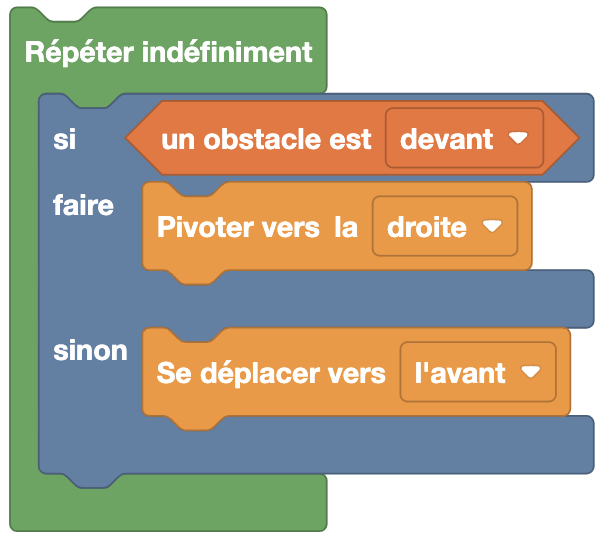
Here, we use the  blocks to make Eliobot move forward if he does not detect an obstacle in front of him, otherwise he turns right.
Python Example
With the library elio.py
import board
import pwmio
import analogio
from elio import Motors, ObstacleSensor

AIN1 = pwmio.PWMOut(board.IO36)
AIN2 = pwmio.PWMOut(board.IO38)
BIN1 = pwmio.PWMOut(board.IO35)
BIN2 = pwmio.PWMOut(board.IO37)
vBatt_pin = analogio.AnalogIn(board.BATTERY)

obstacle_pins = [
    analogio.AnalogIn(board.IO4),  # Gauche
    analogio.AnalogIn(board.IO5),  # Avant
    analogio.AnalogIn(board.IO6),  # Droite
    analogio.AnalogIn(board.IO7),  # Arrière
]

motors = Motors(AIN1, AIN2, BIN1, BIN2, vBatt_pin)
obstacle_sensor = ObstacleSensor(obstacle_pins)

speed = 100

while True:
    if obstacle_sensor.get_obstacle(1):  # Obstacle devant
        motors.turn_right(speed)
    else:
        motors.move_forward(speed)
In this example, Eliobot moves forward if he does not detect an obstacle in front of him, otherwise he turns right.
Without the library elio.py
import board
import pwmio
import analogio

AIN1 = pwmio.PWMOut(board.IO36)
AIN2 = pwmio.PWMOut(board.IO38)
BIN1 = pwmio.PWMOut(board.IO35)
BIN2 = pwmio.PWMOut(board.IO37)

obstacle_avant = analogio.AnalogIn(board.IO5)

vitesse = 65535  # valeur PWM max (0–65535)

while True:
    if obstacle_avant.value < 10000:  # Obstacle devant
        # Tourner à droite
        AIN1.duty_cycle = vitesse
        AIN2.duty_cycle = 0
        BIN1.duty_cycle = 0
        BIN2.duty_cycle = vitesse
    else:
        # Avancer
        AIN1.duty_cycle = 0
        AIN2.duty_cycle = vitesse
        BIN1.duty_cycle = 0
        BIN2.duty_cycle = vitesse
Same example as before, but without using the elio.py library.