Interface
Here is how the interface is organized. This explanation will help you for the rest of the tutorial.
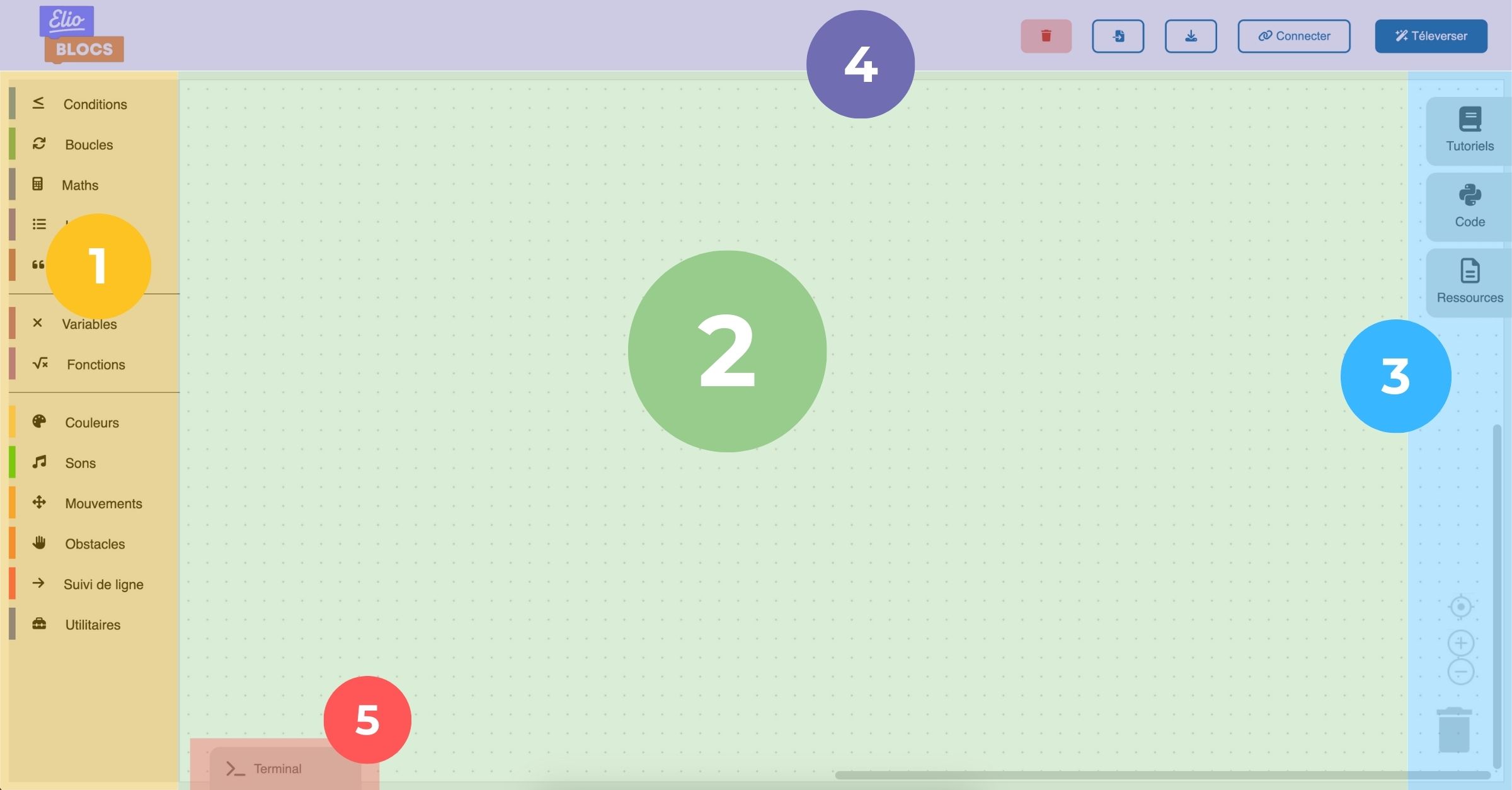
The toolbox (the space where you will find all the blocks necessary for programming).
The workspace (this is where you can assemble your blocks).
Tabs allowing you to access tutorials, help, as well as see the code that will be written when you place blocks.
The buttons:
Clear everything: to clean your workspace in one click.
Import: opens a previously saved program.
Save: save your program on your computer.
Connect: to connect Eliobot to your computer.
Upload: to send the code to Eliobot.
- The terminal (this is where you can see error or success messages from your program and communicate with Eliobot).