Line sensors
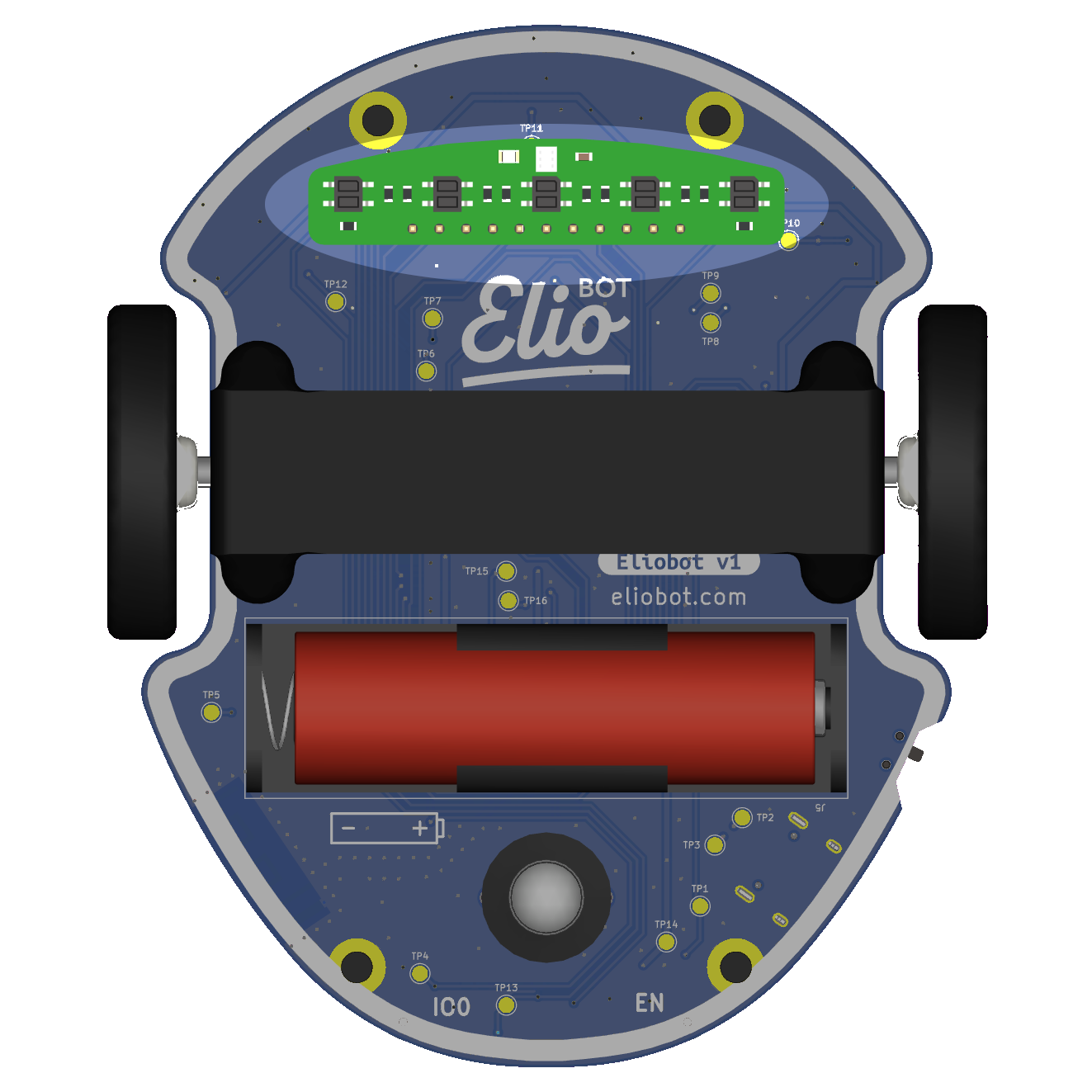
Les capteurs de ligne d'Eliobot sont des capteurs infrarouges qui permettent de détecter les lignes.
Use with Elioblocs
To use Eliobot line sensors on Elioblocs, we use blocks from the  category.
Using with Python
With python, you must define each line sensor as an object. We have 5 sensors on the line sensor, they are connected to the following pins:
| Capteur 1 | Capteur 2 | Capteur 3 | Capteur 4 | Capteur 5 | |
|---|---|---|---|---|---|
| Pin | IO10 | IO11 | IO12 | IO13 | IO14 |
We use the reflected light to detect the line, we measure the ambient light and the reflected light to calculate the value.
The sensors return analog values.
Related examples
Elioblocs example
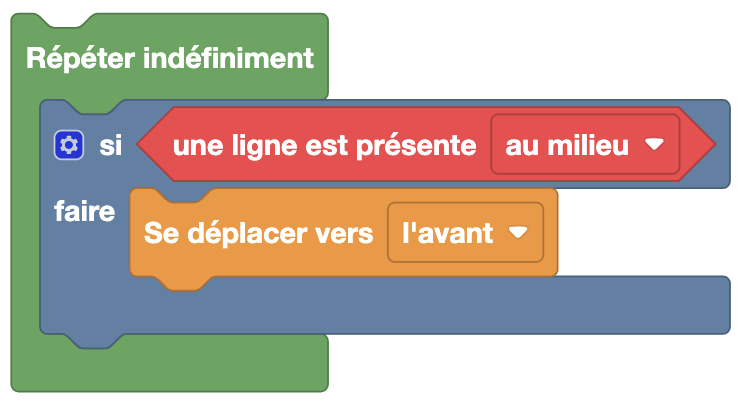
Here if we detect a line under sensor 3 (the middle sensor), we move forward.
Python Example
With the library elio.py
import board
import pwmio
import analogio
import digitalio
from elio import Motors, LineSensor

AIN1 = pwmio.PWMOut(board.IO36)
AIN2 = pwmio.PWMOut(board.IO38)
BIN1 = pwmio.PWMOut(board.IO35)
BIN2 = pwmio.PWMOut(board.IO37)
vBatt_pin = analogio.AnalogIn(board.BATTERY)
motors = Motors(AIN1, AIN2, BIN1, BIN2, vBatt_pin)

lineCmd = digitalio.DigitalInOut(board.IO33)
lineCmd.direction = digitalio.Direction.OUTPUT

lineInput = [
    analogio.AnalogIn(board.IO10),  # Capteur 0
    analogio.AnalogIn(board.IO11),  # Capteur 1
    analogio.AnalogIn(board.IO12),  # Capteur 2 (centre)
    analogio.AnalogIn(board.IO13),  # Capteur 3
    analogio.AnalogIn(board.IO14),  # Capteur 4
]

line_sensor = LineSensor(lineInput, lineCmd, motors)

threshold = 5000  # Seuil de détection (à calibrer)

while True:
    if line_sensor.get_line(2) > threshold:  # Capteur central détecte une ligne
        motors.move_forward(100)
Here if we detect a line under the central sensor (index 2), we move forward.
The threshold is approximate — use line_sensor.calibrate_line_sensors() to calculate it automatically.
Without the library elio.py
import board
import analogio
import digitalio
import time

lineCmd = digitalio.DigitalInOut(board.IO33)
lineCmd.direction = digitalio.Direction.OUTPUT

capteur_centre = analogio.AnalogIn(board.IO12)  # Capteur 2 (centre)

def get_line_value():
    lineCmd.value = True
    time.sleep(0.02)
    lit = capteur_centre.value

    lineCmd.value = False
    time.sleep(0.02)
    ambient = capteur_centre.value

    return ambient - lit

threshold = 5000

while True:
    if get_line_value() > threshold:
        print("Ligne détectée !")
The value returned is the difference between ambient light and reflected light: the higher it is, the more contrasted the line.