LED
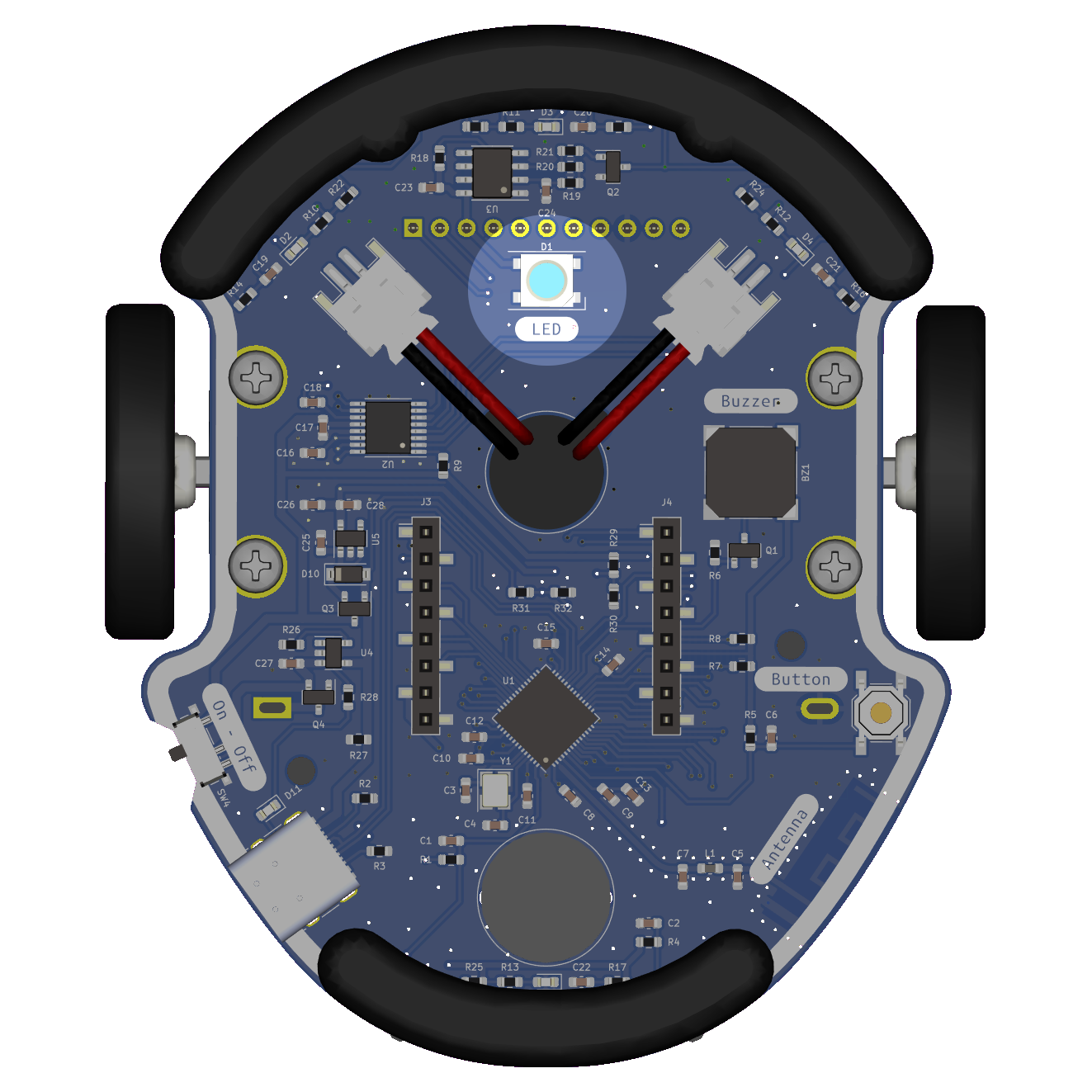
Eliobot LEDs are RGB LEDs, they can display any color by mixing the three basic colors: red, green and blue.
Use with Elioblocs
To use Eliobot LEDs on Elioblocs, we use blocks from the  category.
Use with Python
To use the led in python, simply create an object using the neopixel library.
The LED is on the specific pin NEOPIXEL, or using IO1 directly.
Related examples
Elioblocs example
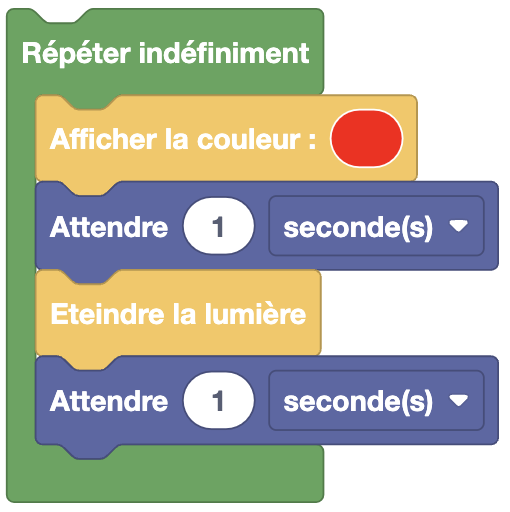
We turn the LED on then off continuously, waiting 1 second between each action so that we can see the color change.
Python example
import board
import neopixel
import time

led = neopixel.NeoPixel(
                    board.NEOPIXEL, # LED pin
                    1, # Number of LEDs
                    brightness=0.2, # LED brightness
                    auto_write=False, # Do not update LED automatically
                    pixel_order=neopixel.GRB # Color order
                    ) # Create LED object

while True:
    led.fill((255, 0, 0)) # Turn LED red
    led.show() # Display color
    time.sleep(1) # Wait 1 second
    led.fill((0, 0, 0)) # Turn LED off
    led.show() # Display color
    time.sleep(1) # Wait 1 second
Same principle as with Elioblocs, we turn the LED on then off continuously, waiting 1 second between each action so that we can see the color change.