Network
Network blocks let you perform actions related to connecting Eliobot to a wireless network.
Wireless Connection
Connect to a wireless network

Type: Order
Definition :
This block allows you to connect Eliobot to a wireless network. You must enter the network name and password.
The connection information is stored in a file named settings.toml on Eliobot, which means you do not have to enter it each time.
Eliobot will automatically connect to the wireless network upon startup.
Use :
If you want Eliobot to connect to a wireless network to be able to access the internet or a local server.
Disconnect from a wireless network

Type: Order
Definition :
This block allows you to disconnect Eliobot from a wireless network.
Use :
If you want Eliobot to disconnect from a wireless network to connect to another network or to save power.
Open an access point from Eliobot

Type: Order
Definition :
This block allows you to open a Wi-Fi access point from Eliobot. This allows other devices to connect to Eliobot like your phone or computer.
The password must be between 8 and 64 characters.
Use :
If you want to serve an html file from Eliobot to make your phone a remote control for example.
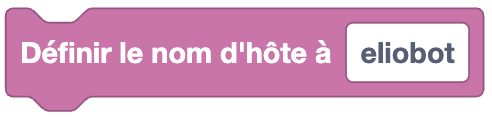
Set host name
Type: Order
Definition :
This block allows you to define the name of the Eliobot host. The host name is the name that identifies Eliobot on the network.
Simply type the host name accompanied by the extension .local to access Eliobot from another device on the same network.
Use :
If you want to access Eliobot from another device on the same network. For example, if you want to access the html page that you created on Eliobot from your phone.
Is connected to a wireless network?

Type: Boolean block
Definition :
This block allows you to test whether Eliobot is connected to a wireless network. It returns true if Eliobot is connected and false otherwise.
Use :
If you want to perform an action only if Eliobot is connected to a wireless network.
Scan available wireless networks

Type: Value
Definition :
This block allows you to scan available wireless networks. It returns a list of available wireless networks with their name and signal strength.
Use :
If you want to view the available wireless networks to choose which network to connect to.
Get wireless network IP address

Type: Value
Definition :
This block allows you to obtain the IP address of the wireless network to which Eliobot is connected.
Use :
If you want to know the IP address of the wireless network to communicate with Eliobot, you will need it to connect to Eliobot from another device.
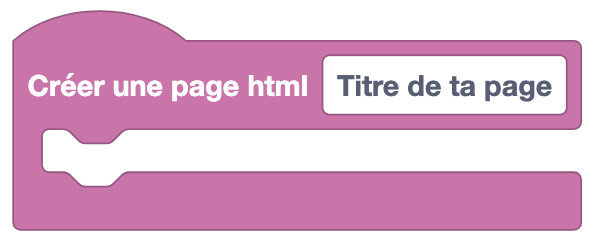
Creates an html page
Type: Order
Definition :
This block allows you to create an HTML page. An HTML page is a web page that can be displayed in a web browser.
It will be saved in an html file on Eliobot called index.html and will be placed in the www folder.
You can choose the title of the page and place its content inside. Once placing this block disables all loops
repeated indefinitely to start the web server, you can access it by connecting to Eliobot in access point mode
and entering the IP address of Eliobot in your web browser.
Use :
If you want to create a web page to display information and place interactive elements like buttons or displays.
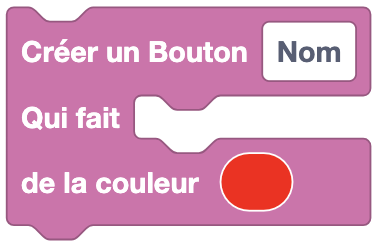
Add a button to your html page
Type: Order
Definition :
This block allows you to add a button to an HTML page. A button is an interactive element that can be clicked by the user. There you can choose the text of the button and the code that will be executed when the button is clicked. You can also choose the color of the button.
Use :
If you want to make a remote control to control Eliobot from your phone.
Add a viewer to your html page

Type: Order
Definition :
This block allows you to add a display to an HTML page, a display is an element that displays the value you give it. You can place the value you want to display inside the display and the name of the display.
Use :
If you want to know if an obstacle is in front of Eliobot from your phone.
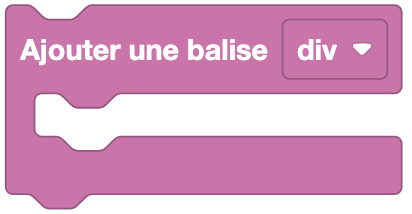
Create an html tag
Type: Order
Definition :
This block allows you to create an HTML tag. An HTML tag is an element of a web page that helps structure the content. There you can choose the type of tag and place its content inside.
Options available: -div
- center
Use :
If you want to structure the content of your html page.
Create an html title
Type: Order
Definition :
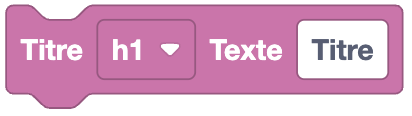
This block allows you to create an HTML title. An HTML title is text that will be of a certain size and in bold. There you can choose the title text and its size.
Options available:
- h1
- h2
- h3
- h4
- h5
- h6
Use :
If you want to display a title in your html page.
Create an html paragraph
Type: Order
Definition :
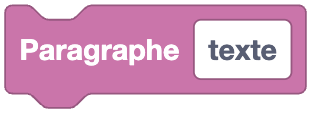
This block allows you to create an HTML paragraph. An HTML paragraph is text that will be displayed on the web page.
Use :
If you want to display text in your html page.