Lists
Lists allow you to store multiple values in a single variable. They are very useful for storing data of the same type.
Create a list
Empty list

Type: Value
Definition :
Creates an empty list. The gear allows you to add items to the list.
Use :
If we want to create a list to store values.
List with defined elements
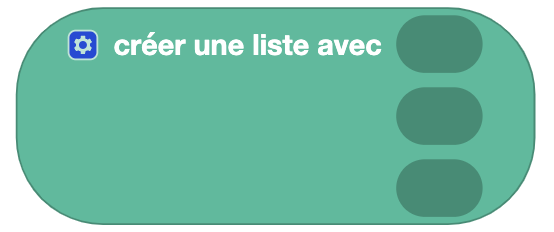
Type: Value
Definition :
Creates a list with the defined elements. The gear allows you to add more items to the list.
Use :
If we want to create a list with already defined values.
List with repeated element

Type: Value
Definition :
Creates a list with an item repeated a certain number of times.
Use :
If we want to create a list with an element repeated several times.
List from text

Type: Value
Definition :
Allows you to create a list from text. The separator allows you to define how the elements of the list are separated.
Use :
If you want to create a list from a text or a CSV.
Example
The text: "I am a programmer"
With the separator: " " (space)
Gives the list: ['I', 'am', 'a', 'programmer']
Find out the length of a list

Type: Value
Definition :
Gives the number of elements present in a list.
Use :
If we want to do an action a certain number of times depending on the length of the list.
Test if a list is empty

Type: Boolean block
Definition :
Allows you to test whether a list is empty or not (returns a Boolean).
Use :
If we want to perform an action if a list is empty. For example, filling it out.
Find an occurrence in a list

Type: Value
Definition :
Returns the position of the first occurrence of an element in a list.
Use :
If we want to know if an element is present in a list and at what position.
Edit a list

Type: Order
Definition :
Allows you to move/insert an element to a given position in the list.
Use :
If you want to modify a list by moving an element or inserting an element at a given position.
Sort a list

Type: Value
Definition :
Allows you to sort a list in ascending or descending order. With the options:
- numeric: sorts items as numbers.
- alphabetical: sorts elements as text.
- alphabetical ignoring case: sorts elements as text without taking into account upper and lower case letters.
Use :
If you want to sort a list to browse it more easily.