Grove Backpacks
Eliobot is compatible with selected Grove modules. Below is the list of supported modules and their related blocks.
Grove Compatibility
🟢: Compatible | 🟠: Not tested | 🔴: Not compatible
| Grove Modules | Compatibility | State | Prerequisites |
|---|---|---|---|
| Button v1.2 | 🟢 | Ok Block Available | Grove Backpack |
| Touch v1.1 | 🟢 | Ok Block Available | Grove Backpack |
| Servo Motor | 🟢 | Ok Block Available | Grove Backpack |
| Rotary Sensor Angle v1.2 | 🟢 | Ok Block Available | Grove Backpack |
| Light Sensor V1.2 | 🟢 | Ok Block Available | Grove Backpack |
| Buzzer v1.2 | 🟢 | Okay | Grove Backpack |
| Temperature v1.2 | 🟢 | Okay | Grove Backpack |
| Sound Sensor v1.6 | 🟢 | Okay | Grove Backpack |
| LED Socket Kit v1.5 | 🟢 | Okay | Grove Backpack |
| Relay v1.2 | 🟠 | Not tested | Grove Backpack |
| LCD RGB Backlight | 🔴 | Not compatible |
Button v1.2 and Touch v1.1
Use button or touch

Type: Boolean
Definition :
This block allows you to use Grove buttons to perform actions with Eliobot.
Use :
To start the program if a button is pressed.
Servo Motor
Control a servo motor

Type: Order
Definition :
This block allows you to control a servo motor with Eliobot.
Use :
To make Eliobot more interactive by allowing him to move an arm or a head.
Rotary Sensor Angle v1.2
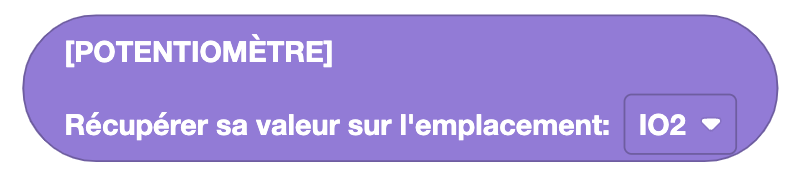
Retrieve the value of a potentiometer
Type: Value
Definition :
This block allows you to retrieve the value of a potentiometer.
Use :
To set a value in your program. For example, to adjust Eliobot's movement speed.
Light Sensor V1.2
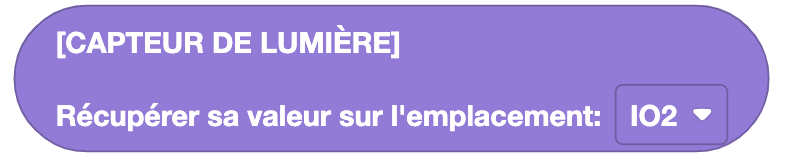
Get the brightness value
Type: Value
Definition :
This block allows you to retrieve the brightness value measured by the brightness sensor.
Use :
To adjust an action based on brightness. For example, to turn on an LED if the brightness is low.
##Buzzer v1.2
Ring a buzzer

Type: Order
Definition :
This block allows you to ring the buzzer with a certain volume (0-100).
Use :
To make an alert or notification sound.